
Let's cut to the chase. For a busy founder in the UAE, a VR headset for your phone is the quickest, most budget-friendly way to create immersive demos. It turns the smartphone you already have into a powerful tool for product walkthroughs or client presentations—without the hefty price tag of a dedicated system.
For startup founders here in the UAE and MENA, staying ahead means using smart, efficient tech to make a real impact. A VR headset for your phone is exactly that. This isn't about gaming; it's about using the supercomputer in your pocket to build compelling business tools, fast.
This simple approach gives you a massive competitive edge. Instead of just describing a new real estate development, you can let an investor in Riyadh walk right through it. Instead of explaining your software's UI, you can let a potential client in Dubai actually feel it. It’s about closing the gap between your idea and reality, affordably.
The demand for immersive tech is exploding right here. The virtual reality headset market in the Middle East and Africa kicked off 2023 with a revenue of USD 451.8 million. Projections show that number rocketing to USD 3,095.2 million by 2030, driven by a massive compound annual growth rate of 31.6%.
Here’s the actionable insight for founders: the low-end device segment—exactly where smartphone-compatible headsets live—is the fastest-growing piece of this market. This trend signals a clear opening. Founders who weave this tech into their pitch decks and sales process will stand out. For anyone building a tech startup in Dubai, this is your low-barrier ticket into a high-growth world.
Opting for a phone-based VR headset isn't just about saving money; it's a strategic move to prioritise speed and idea validation. It lets you test immersive content without committing serious capital.
Let's look at the immediate wins:
To get a better sense of how this simple tool fits into the bigger picture, it's worth exploring the broader transformative uses for VR that are already reshaping entire industries. A mobile headset is your first, practical step into that much larger world.
To make things even clearer, here’s a quick breakdown of why mobile VR is such a smart move for founders in the region.
This table sums it up: mobile VR delivers the "wow" factor of immersive tech without the usual costs and complications, making it a powerful, practical tool for any ambitious founder.
Picking a VR headset for your phone isn't about chasing the latest model. As a founder, think of it as a tool that gives investors and clients a smooth, impressive experience.
They’re not all built the same, and the wrong choice can lead to a dizzying, blurry mess—the last thing you want when making a first impression. This is a presentation device. Clarity, comfort, and compatibility are everything. A few key details make all the difference.
So, is a phone-based VR headset the right tool for you right now? This flowchart will help you decide in seconds.
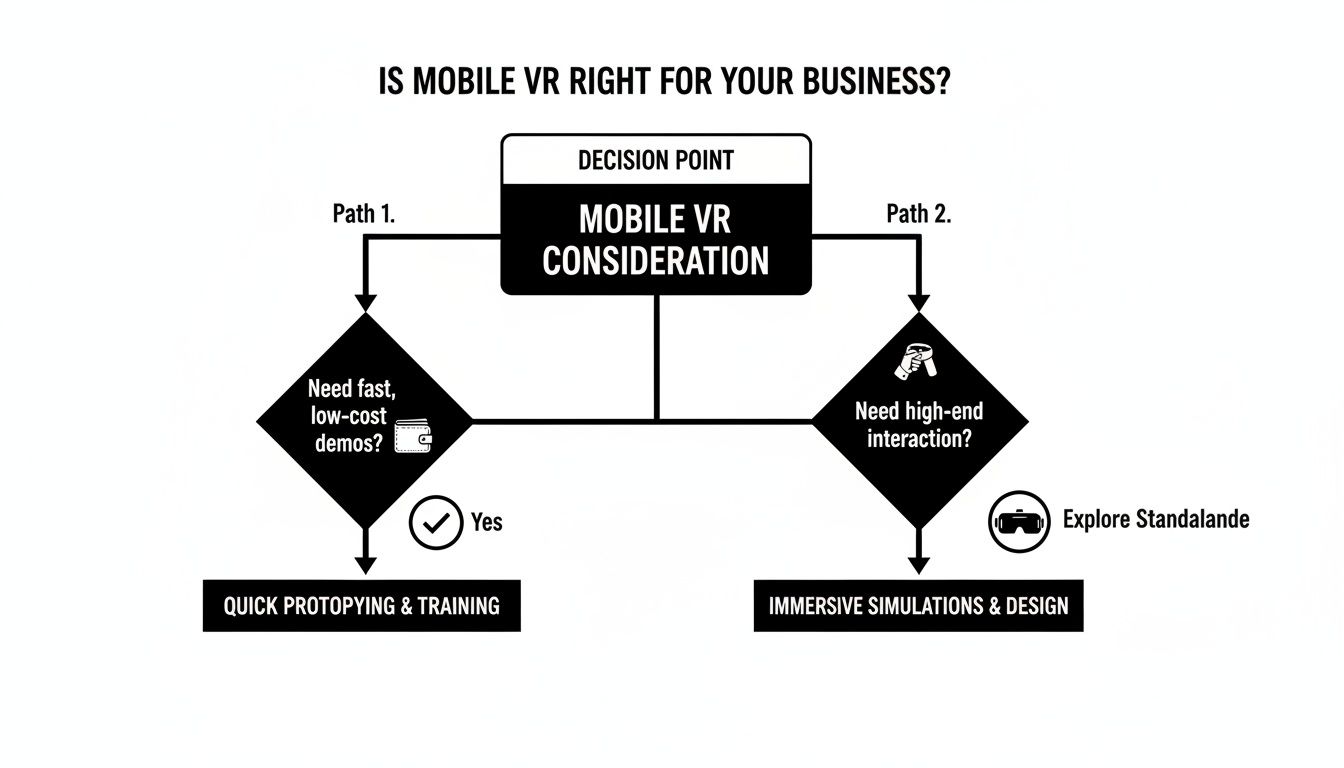
As you can see, for quick, low-cost demos and simple viewings, mobile VR is a fantastic choice. But if you need complex, high-interaction simulations, you'll need to look at more advanced standalone systems.
When you're browsing for a VR headset for phone on sites like Noon or Amazon AE, ignore the marketing fluff. Zero in on these three critical specs.
Field of View (FOV): This is your peripheral vision in the virtual world. Most headsets offer an FOV around 110 degrees, which works well. Anything less feels like you’re looking through binoculars, shattering the illusion.
Lens Quality and Adjustment: This is crucial. Look for headsets with Interpupillary Distance (IPD) adjustment. This lets you tweak the lens spacing to match each user's eyes, ensuring a sharp image and preventing eye strain—vital when multiple people will use it.
Build Quality and Comfort: For business use, forget flimsy cardboard. You need a durable plastic headset with comfortable foam padding and adjustable straps. An ill-fitting headset is distracting and pulls focus from your pitch.
Your biggest headache won't be the headset; it'll be the mix of smartphones your team and clients use. The headset is just a lens holder; the phone does all the work.
Before you buy, create a checklist to ensure any phone you plan to use is VR-ready. This avoids the awkward moment a demo fails because of an incompatible device.
Next Action: Ask your team to audit their work phones against the criteria below. Create a shared sheet listing which devices are "VR-Ready" so you know where you stand before buying headsets.
Here’s what every phone must have for a decent VR experience:
A Gyroscope: This is a deal-breaker. The gyroscope tracks head movement. No gyroscope, no VR. Most modern mid-to-high-end smartphones have one, but you must check.
High-Resolution Screen: The screen is split in two for your eyes. A low-resolution screen looks pixelated. You need at least a Full HD (1080p) display. Quad HD (1440p) is noticeably sharper and more professional.
Appropriate Screen Size: Most headsets hold phones with screens between 5 and 6.5 inches. Too small, and it won't fill your view. Too big, and it won't physically fit.
Focusing on these core features ensures your investment in a VR headset for your phone pays off as a reliable business tool.
So you’ve got the hardware. Now, let's make it work for your business. A VR headset for phone isn't just a gadget; for a founder in the MENA region, it's a powerful tool for storytelling, sales, and training. It’s about pulling stakeholders into your vision.
The goal is to stop telling people about your product and start letting them experience it. Whether you're pitching an investor in the DIFC or showing a concept to a client in Riyadh, mobile VR forges a connection that no slide deck ever could.
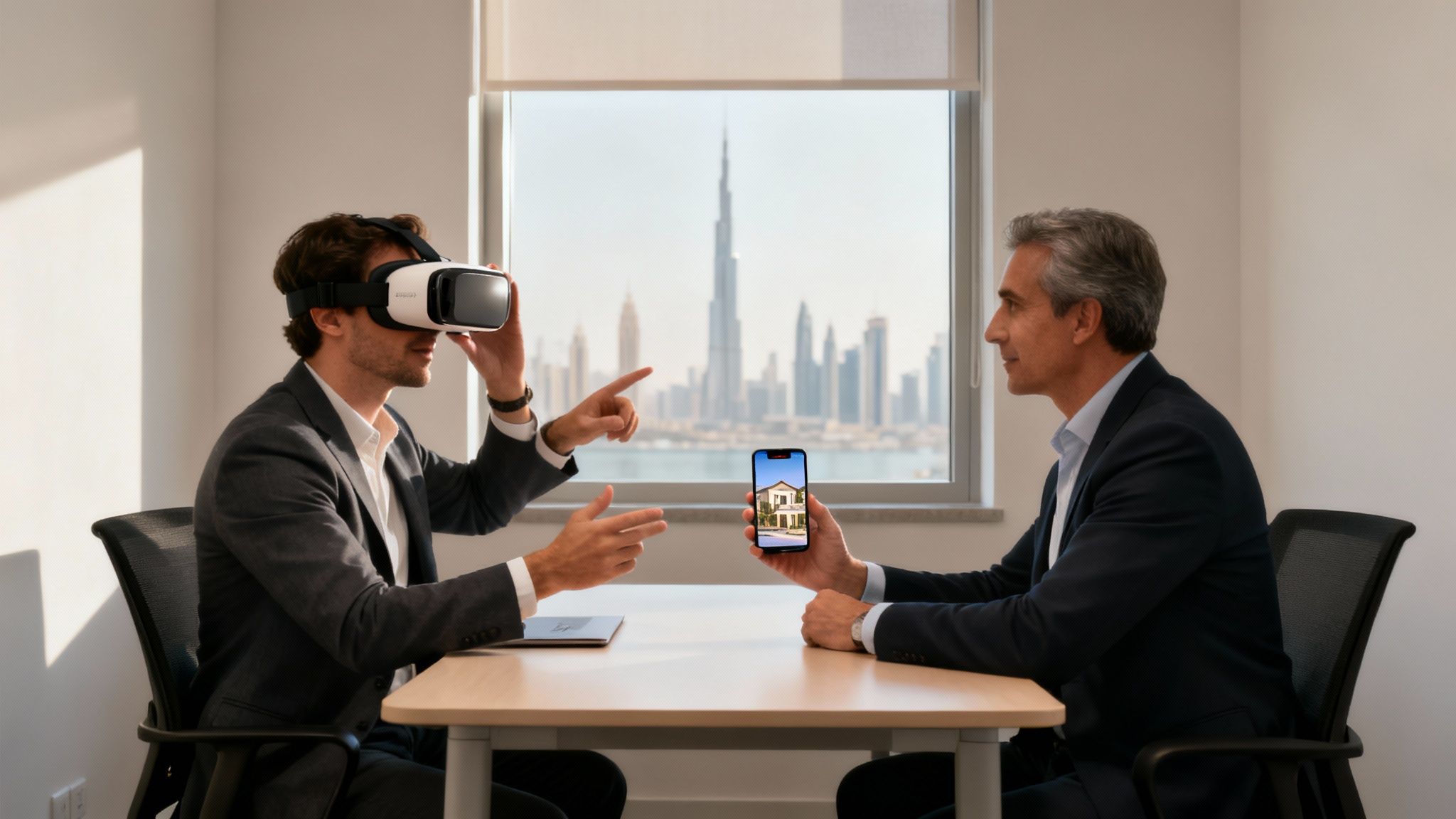
Here are three practical ways to put a mobile VR headset to work in your startup today.
Explaining complex software is hard. Screenshots and feature lists rarely capture the user experience. Mobile VR flips this script.
Imagine you've built a new SaaS platform. Instead of describing it, you hand an investor a headset. Suddenly, they are standing inside a virtual data room, surrounded by interactive 3D models. Your product is no longer an idea—it’s a tangible reality.
This is a game-changer for:
Next Action: Storyboard a 30-second immersive demo of your core product. What’s the one killer feature or feeling you need an investor to experience? Sketch it out to identify the key interactions.
The UAE's property market is fiercely competitive. For developers and architects, mobile VR is a powerful sales tool. It transports potential buyers into properties that don't exist yet.
Forget flat floor plans. Offer a virtual walkthrough of a luxury apartment in Downtown Dubai or a villa on Palm Jumeirah. Clients can look around, get a real sense of the space, and check the view from the balcony before a single brick is laid. This builds an emotional connection and speeds up decision-making.
This approach is perfect for:
Good training is essential but often expensive and logistically complex. Mobile VR offers a safe, consistent, and repeatable solution.
For example, a logistics startup can create a simulation for new warehouse staff on safety protocols without risk. A hospitality group can train service staff on five-star standards in virtual guest scenarios. Because all you need is a smartphone and an inexpensive VR headset for phone, you can deploy this training anywhere, anytime.
This is a powerful tool for:
Not sure where to start? This matrix helps you pinpoint the most impactful application for your business.
Each of these use cases offers a distinct advantage. A well-executed demo can be the difference-maker in a funding round, while a virtual tour can close a multi-million dirham property deal. The key is to align the technology with a clear business objective.
So, your new VR headset has arrived. It's time to create an immersive experience you can put in front of an investor. The setup is designed to be quick, getting you to your first demo in minutes.
The concept is simple: the headset is a lens holder, and your phone provides the screen and brains. Getting them to work together smoothly is key for a professional presentation.
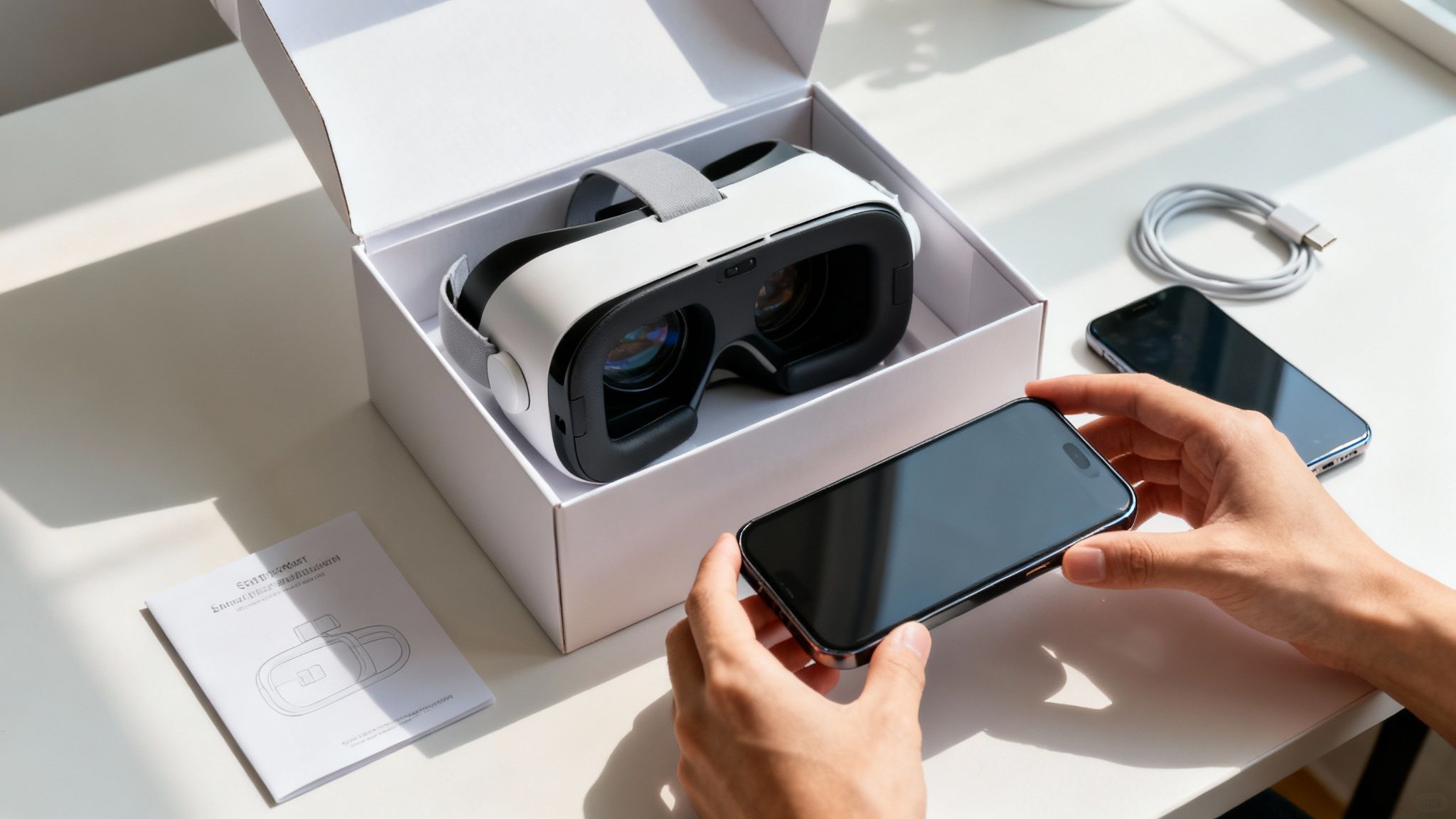
Follow these steps for a smooth start.
You might run into a couple of hiccups. These simple fixes solve 90% of common issues.
Next Action: Assemble a "Demo Kit" for your team. Include the headset, a microfiber cloth, a dedicated and fully charged smartphone with your demo pre-installed, and a printout of these troubleshooting tips. This ensures you're ready for a flawless presentation at an event like the GITEX exhibition in Dubai or in a one-on-one meeting.
A VR headset for your phone is only as good as its content. For a founder, creating a custom VR experience might sound like a massive headache, but it doesn't have to be.
You can start small, find existing content for quick wins, and then use accessible creation tools that won’t drain your budget. It's easier than ever to produce impressive demos without a dedicated development team.
Before building anything, dive into the content that already exists. This is the fastest way to get your headset running and understand what makes a VR experience feel special.
Your first stop is YouTube. It’s a goldmine of 360-degree videos. Search "360 video" followed by your interest—like "Dubai skyline," "factory tour," or "architectural visualisation."
This strategy pays off in two ways:
Beyond YouTube, check the app stores for VR apps. A search for "VR" or "Cardboard" will pull up everything from simple games to virtual travel. These are perfect for quickly showing off the capabilities of your vr headset for phone.
Ready to make your own content? Start with simple, high-impact formats.
A great starting point is turning panoramic photos from your smartphone into a basic virtual tour. Modern phones take great panoramic shots, and online platforms let you stitch them into an interactive 360-degree experience.
Next Action: Ask a team member to take five high-resolution panoramic photos of your office or a project site. Use a free online tool like Kuula or Momento360 to upload them and create a shareable virtual tour. It will take less than an hour.
For more interactive demos, look into WebXR. This technology runs VR experiences directly from a web browser—no app download needed. This removes friction when sharing a demo with clients; they just need a link. To really nail mobile VR, it helps to understand how to create immersive stories on your iPhone.
By starting with existing content and moving to simple creation tools, you can weave VR into your business strategy without getting overwhelmed.
A VR headset for your phone is a smart, low-cost way to get into immersive tech. It’s the perfect tool for validating an idea and creating demos that leave a lasting impression without burning through capital.
But you'll eventually hit its limits.
Knowing when to upgrade isn't about chasing new tech. It's a strategic decision. Start lean with mobile VR, then invest in a standalone headset when the potential return justifies the cost. This stops you from overspending early while ensuring you’re ready for what’s next.
The leap is about moving from passive viewing to active interaction. A phone headset is brilliant for showing a 360-degree video. A standalone headset lets users pick things up, interact with menus, and feel truly present in a simulated world.
When do you make the jump? It almost always comes down to one thing: the need for true interactivity.
A mobile VR headset is great for looking around, but it lacks the sophisticated controls for complex actions. That's where standalone headsets like the Meta Quest 3 come in. They have dedicated hand controllers that track your every move.
Here are the signs it’s time to upgrade:
Think of your XR adoption in stages. This simple framework keeps your spending locked to your immediate business needs.
Stage 1: Validation and Early Demos (Mobile VR)Use your VR headset for phone for initial pitches, investor meetings, and trade shows. The goal is low-cost, high-impact validation. It’s perfect for showing your concept and getting that initial "wow." For advice on nailing those early conversations, see our guide on fundraising for startups.
Stage 2: Interactive Prototypes and Training (Standalone VR)Once your product is more developed, it’s time to upgrade. A standalone headset lets you build high-fidelity, interactive prototypes and immersive training modules that are impossible on a phone. This investment makes sense when you have a proven concept and need to elevate the user experience.
Following this path ensures your tech investments are driven by clear business goals, not hype.
Jumping into new tech brings up questions. For founders, getting straight answers is key. This section cuts through the noise and tackles the most common questions about using a VR headset for phone for business.
No. For a smooth, professional demo, your phone needs to tick a few boxes.
At a minimum, your phone needs:
Absolutely—for the right kind of demo. A phone-based VR headset is perfect for a great first impression with 360-degree videos or virtual property tours. It’s a fantastic, low-cost way to give someone a genuine feel for a space or concept.
However, if your demo needs full hand-tracking and complex interactions, this isn't the tool for the job. For that, you’d need a standalone headset like the Meta Quest.
In the UAE, you can find basic cardboard headsets for under 100 AED, while better plastic ones cost between 200-400 AED. For business use, avoid the cheapest options.
Your best bet is to aim for that 200-400 AED sweet spot. This gets you a durable headset with comfortable padding and, most importantly, adjustable lenses to ensure every presentation is sharp and professional.
At Founder Connects, we're all about using the right tool at the right time. Mobile VR is a perfect example—a smart, lean solution for early-stage validation and creating demos that leave a lasting impression. If you want to connect with other founders tackling the same challenges, check out our community at https://www.founderconnects.com.


