

Top 15 Martech Platforms and Marketing Technology Solutions for UAE Businesses (2026 Guide)

Building in MENA? You don't have to do it alone.
Join 300+ founders in the Founder Connects Residency. Monthly squad calls, warm intros, $3M+ in perks, and much more. All for less than your monthly coffee budget.

Many UAE marketing teams find that success comes less from adding more software and more from assembling the right marketing technology solutions in the right order. A CRM that captures leads, analytics that show where those leads came from, and automation that follows up without a human clicking send will outperform a dozen disconnected tools. This guide breaks down 15 platforms by the problem each one solves, with pricing notes and practical observations, so you can build a stack instead of buying a list.
Key Takeaways
- Marketing technology, or martech, includes any tool that helps your company succeed with campaigns, covering everything from data to content.
- AI-powered martech tools can automate tasks, provide deeper insights, and help marketing teams manage complex jobs more efficiently.
- Choosing the right martech platforms is important for gaining a competitive edge and breaking through marketing noise.
- Investing in martech can lead to increased revenue and more efficient operations, but effectiveness varies based on business needs.
- A well-chosen martech stack can improve marketing performance, but technology alone isn't enough; it needs to support solid strategies and skilled teams.
How I Picked These Marketing Technology Solutions
I evaluated each tool against four criteria: does it do one job well, does the free or entry tier deliver real value, how long does setup take for a small team, and does it integrate with the rest of a typical stack. The editorial standard for this list prioritized products whose entry tiers offer genuine utility rather than just a trial period, and tools that fit naturally into the workflows common among growing businesses. RevenueCloudFX is the one exception: it solves a problem most tools dodge by tying marketing activity directly to revenue, but it is priced and sold differently from the rest of this list.
Context matters because the martech market grew from roughly 150 solutions in 2011 to 9,932 in 2022 and 11,038 in 2023. Local fit and clear use cases are now more useful differentiators than a long feature list. (Marketing Technology Landscape history)
Decision Aid
- Need one system for leads and sales: Start with HubSpot CRM; choose Nutshell for a simpler, sales-led pipeline.
- Need to understand traffic and attribution: Use GA4 for behavioral data and Ahrefs for organic search intelligence.
- Need to publish across social channels: Choose Buffer for lean social workflows or Hootsuite for a broader enterprise-style command center.
- Need to improve conversion rate: Use Optimizely for controlled experiments and Criteo for display retargeting.
- Need to collect, design, or communicate: Use Typeform for lead forms, Marq for branded assets, and Crisp for live chat.
- Need a coordinated operating stack: Choose Trello for team workflow, Zoho Mail for business email, and SendPulse for campaigns.
Marketing Technology Solutions by Use Case
The most common examples of marketing technologies are easy to recognize once you group them by the job they perform. Whether you are evaluating marketing tech solutions or comparing full-scale marketing technology services, each platform in this guide belongs to at least one of the following categories:
- Customer data and pipelines (CRM): HubSpot CRM and Nutshell create a shared record of leads, customers, tasks, and pipeline stages.
- Measurement and analytics: GA4 tracks customer journeys, Ahrefs reveals search visibility and competitor performance, and RevenueCloudFX connects marketing activity with revenue.
- Testing and optimization: Optimizely lets teams test pages, features, and personalized experiences before rolling changes out broadly.
- Publishing and social management: Buffer and Hootsuite schedule content, bring conversations into one inbox, and report on social performance.
- Advertising and retargeting: Criteo reaches visitors who showed interest but did not complete a purchase.
- Content and design: Marq standardizes branded design, while Typeform turns lead collection into interactive forms.
- Communication and loyalty: Crisp handles live conversations, Zoho Mail provides business email infrastructure, and SendPulse manages email campaigns and automated sequences.
- Campaign operations: Trello coordinates briefs, creative, approvals, deadlines, and reporting across the team.
A lean stack for a five-person UAE company could start with HubSpot CRM, GA4, Buffer, and Zoho Mail. That combination covers lead capture, measurement, publishing, and email credibility before paid advertising or enterprise automation becomes necessary.
1. HubSpot CRM
For a leads-based company considering HubSpot's free CRM, the practical question is whether the team can run daily sales and marketing work on it without paying. Before adopting it, check if the free tier's contact limits and basic reporting cover your current pipeline volume, and verify which integrations your team relies on daily. A common setup mistake is treating the free CRM as a simple address book rather than configuring deal stages early, which makes later reporting much harder to untangle.
The practical value is bringing context into one record. A contact's page visits, email activity, previous conversations, assigned owner, and deal stage can all appear before a sales call. That is more useful than adding another lead-generation form: the team learns what brought the person in and where the opportunity stalled.
Here's what the free tier covers:
- Keep tabs on contacts: Store contacts and see their history with your company, including pages visited and emails opened.
- Visualize your sales: See exactly where each deal is in your sales process and where the team should focus next.
- Manage tasks: Assign work to yourself or teammates so follow-ups do not disappear.
- Integrate with existing tools: Connect Gmail, Outlook, and other applications through the App Marketplace.
The core CRM is free forever. You get unlimited users and storage for up to a million contacts. Most CRMs make you pay for basic features or limit how many people can use them, which makes HubSpot a practical starting point for organizing customer relationships.
HubSpot also has paid versions for more advanced marketing, sales, and automation features. A UAE team should upgrade only after confirming that its manual process is creating enough leads or customer volume to justify the added cost. You can get started with HubSpot CRM's free version and see how it fits into your workflow.
2. GA4
GA4 is your free, go-to tool for understanding what's happening on your site and how people are interacting with it. It's a big step up from the older versions, focusing more on user behavior across different platforms and devices.
GA4 solves a specific marketing problem: connecting fragmented customer journeys. Someone may see an Instagram ad, visit on a phone, return through a branded Google search, and convert on a desktop several days later. GA4's event-based model can bring those signals together, giving marketers a better basis for deciding where to spend the next month's budget than a disconnected set of channel reports.
Here’s what you can really get out of GA4:
- Event-Based Tracking: Forget just page views. GA4 tracks specific actions, like button clicks, video plays, or form submissions. This gives you a much clearer picture of engagement.
- Cross-Platform Insights: It's designed to track users across websites and apps, giving you a more unified view of their journey with your brand.
- Predictive Metrics: GA4 can start to forecast things like potential churn or purchase probability, helping you get ahead of the curve.
- Enhanced E-commerce Tracking: If you sell stuff online, GA4 offers detailed tracking for product performance, sales, and customer behavior related to purchases.
A common mistake teams make during setup is leaving the default events untouched. Reports then describe generic clicks and page views but fail to explain where demand is getting stuck. Defining custom events around the actual customer journey—such as WhatsApp click, demo request, PDF download, webinar registration, and completed purchase—provides actionable answers about where prospects drop off. That clarity should determine the next optimization task.
GA4 is all about understanding the journey people take, not just the destination. It helps you see the whole path from initial interest to becoming a customer, and even beyond. This shift in perspective is key to making smarter marketing decisions.
Getting your data from HubSpot into GA4 can really help you see the full picture. By connecting these two, you get a more complete view of your marketing efforts and customer interactions all in one place. Integrating Google Analytics with HubSpot is a solid move for better insights.
3. Optimizely
So, you're looking to really nail your website's performance and give your visitors the best possible experience? That's where Optimizely comes in. It's basically your go-to for testing and personalizing your digital presence. Think of it as a super-powered lab for your website or app.
What can you do with it? Lots of things, but here are the main ones:
- A/B Testing: This is the bread and butter. You can test different versions of a webpage or app screen to see which one performs better. Maybe you want to test two different headlines, button colors, or even entire page layouts. Optimizely helps you figure out which version your audience prefers.
- Personalization: Ever wanted to show different content to different visitors? Optimizely lets you do that. You can tailor experiences based on things like where someone is coming from, what device they're using, or even their past behavior on your site. It makes your site feel more relevant to each person.
- Feature Experimentation: Launching a new feature? Instead of rolling it out to everyone at once, you can use Optimizely to test it with a smaller group first. This way, you catch any bugs or issues before they affect your whole user base.
- Full Stack Capabilities: This is pretty neat. It means you can use Optimizely not just on your website, but also within your mobile apps and even on your server-side code. It gives you a really broad way to experiment across your entire digital product.
Optimizely helps you make data-driven decisions about your website and app. Instead of guessing what might work, you can run controlled experiments to find out for sure. This means less wasted effort and a better experience for your users.
It's a powerful tool, especially if you're serious about optimizing every little bit of your online presence. You can get started with Optimizely One to streamline your marketing operations and see how these testing capabilities fit into the bigger picture.
4. Buffer
Buffer is your go-to for making social media management way less of a headache. It's all about simplifying how you post and see what's working.
Think of it as your social media command center. You can schedule posts way in advance, which is a lifesaver when you're busy. Plus, it gives you the lowdown on how your posts are doing, so you can figure out what your audience likes.
Here’s what you can do with Buffer:
- Schedule content: Plan out your posts for days, weeks, or even months ahead. This means you can batch your work and not worry about posting every single day.
- Analyze performance: See which posts get the most likes, shares, and clicks. This data helps you make smarter content choices.
- Manage multiple accounts: Keep all your social media profiles (like Facebook, Instagram, Twitter, LinkedIn) in one place. No more logging in and out of different apps.
- Create landing pages: Buffer also lets you build simple landing pages, which is handy for specific campaigns or promotions.
Buffer really shines when you want to stay consistent on social media without spending all your time on it. It takes the guesswork out of posting and helps you build a better connection with your followers.
5. Hootsuite
Hootsuite is a solid choice if you're looking to manage all your social media efforts from a single spot. It brings together tracking, posting, and analyzing your social channels into one easy-to-use dashboard.
Think of it as your command center for social media. You can plan out your content, schedule posts way in advance, and see how everything is performing. They even have features that can help tailor content for specific industries, which is pretty neat.
Here’s what you can expect:
- All-in-One Dashboard: Connect your social accounts (like Facebook, Instagram, Twitter, LinkedIn, etc.) and get a clear overview of everything happening.
- AI Social Media Assistant: This feature can help you write captions based on your best-performing posts and suggest relevant hashtags to get more eyes on your content.
- Visual Content Calendar: Plan your posts visually. You can drag and drop content, and the tool gives you ideas on the best times to post based on when your audience is most active.
- Unified Inbox: Manage all your comments and messages from different platforms in one place. No more jumping between apps to reply to people.
- Competitor Analysis: Keep an eye on what your competitors are doing. This helps you find new opportunities and see how you stack up.
Hootsuite is designed to simplify the complex world of social media management. It aims to save you time and effort by consolidating tasks and providing insights that help you make better decisions about your social strategy.
For teams comparing Hootsuite with lighter alternatives, this side-by-side comparison via FoPost provides a useful starting point. The decision should center on whether your team needs the unified inbox, competitor analysis, and deeper reporting, rather than the number of available features.
6. Nutshell
When you're trying to keep track of leads and customers, Nutshell is a pretty solid choice. It's an all-in-one CRM that really helps you manage your customer data and build better relationships. Think of it as your central hub for everything customer-related.
Nutshell is great because it simplifies managing your sales pipeline and customer interactions.
Here’s what you can do with it:
- Track leads: Keep an eye on where your potential customers are coming from and where they are in your sales process.
- Manage contacts: Store all your customer information in one place, so you can easily access details when you need them.
- Automate tasks: Set up automatic emails or follow-ups so you don't miss a beat.
- Analyze sales: Get a clear picture of your sales performance to see what's working and what's not.
Nutshell aims to make CRM less complicated. It's designed for small to medium-sized businesses that need a straightforward way to handle their sales and customer service without a steep learning curve. You can connect it with other tools you might already be using, which is always a plus.
It's not just about storing data; it's about using that data to connect with people. You can see a customer's history, their last interaction, and what they're interested in, all from one screen. This makes it way easier to have personalized conversations and keep your customers happy.
7. Trello
When you're juggling a bunch of marketing projects, keeping everything organized can feel like a circus act. That's where Trello comes in. It's basically a digital whiteboard that helps you see exactly what needs to be done, who's doing it, and when it's due. You can think of it as your team's shared brain for managing tasks.
Trello uses a simple system of boards, lists, and cards. Imagine a board for a specific campaign, lists for stages like 'To Do,' 'In Progress,' and 'Done,' and cards for individual tasks. You can move these cards around as work progresses, giving you a clear visual of your workflow.
Here’s how you can use Trello to make your marketing life easier:
- Plan Your Content Calendar: Map out blog posts, social media updates, and email newsletters. Assign writers, set deadlines, and track progress all on one board.
- Manage Marketing Campaigns: From initial concept to launch and analysis, Trello helps you break down big campaigns into manageable steps. You can attach files, add comments, and keep all campaign-related information in one spot.
- Coordinate Team Tasks: Assign tasks to team members, set due dates, and get notifications. It’s a straightforward way to ensure everyone knows their responsibilities and deadlines.
- Streamline Event Planning: If you're organizing webinars or trade shows, Trello can help you track vendor communications, speaker confirmations, and logistical details.
One of the neat things about Trello is its flexibility. You can add "Power-Ups" to connect it with other tools you already use, like Google Drive or Slack, making it fit right into your existing workflow. Plus, its automation feature, Butler, can handle repetitive tasks for you, like moving cards or adding checklists when a card is moved to a certain list.
Trello's visual approach makes it super easy to get a quick overview of where everything stands. You don't need to dig through emails or ask for status updates constantly. Just glance at the board, and you'll know.
Trello offers a free plan that's pretty generous for small teams or individual use. Paid plans add more advanced features like different calendar views, timelines, and expanded automation, which can be helpful as your team and projects grow.
8. Ahrefs
When you're trying to figure out what's working online and what your competitors are up to, Ahrefs is a tool you'll probably want to know about. It's basically an all-in-one SEO powerhouse. You can use it for pretty much every part of your search engine optimization efforts, from digging into keyword ideas to seeing exactly what your rivals are doing.
Think of it like this: you're trying to get your website noticed, right? Ahrefs helps you see what search terms people are actually using and how you can rank for them. It also lets you peek at your competitors' websites to see which keywords they're targeting and where they're getting their links from. This kind of insight is super helpful for planning your own content and strategy.
Here’s what you can really do with it:
- Keyword Research: Find out what people are searching for so you can create content that answers their questions.
- Competitor Analysis: See what keywords your competitors rank for, what backlinks they have, and how much traffic they get.
- Site Audit: Check your own website for technical SEO issues that might be holding you back.
- Rank Tracking: Keep an eye on where your website ranks for important keywords over time.
- Content Explorer: Discover popular content in your niche to get ideas for your own articles or campaigns.
It's a pretty solid platform for understanding your website's performance and how it stacks up against others. You can track your own URLs and manage a lot of your analytics right there. If you're serious about SEO, you'll likely find a lot of use for Ahrefs' site explorer features.
You can use Ahrefs for all phases of SEO, from research to implementation and tracking. It's a tool that helps you understand the bigger picture of your online presence and how to improve it.
While it has a lot of features, it's designed to be used across different stages of your SEO work. So, whether you're just starting out or you're deep into optimizing, it can be a valuable asset.
9. Marq
So, you're looking to make your brand's visuals and content look super professional without needing a design degree? That's where Marq comes in. It's basically a platform that helps you create and manage all your marketing materials, keeping your brand looking consistent everywhere. Think of it as your go-to spot for making everything from social media posts to presentations, all while staying true to your brand's look and feel.
What can you do with Marq?
- Design on the Fly: You get access to a bunch of templates, so you don't have to start from scratch. Just pick one, tweak it with your own colors, fonts, and logos, and you're good to go.
- Keep Your Brand in Check: Marq helps you set up a brand kit. This means everyone on your team can easily grab the right logos, colors, and fonts, so your marketing materials always look like they came from the same place.
- Teamwork Makes the Dream Work: If you're working with others, Marq lets you collaborate. You can share designs, get feedback, and approve things right within the platform. No more emailing files back and forth!
- Content Creation Made Easy: Beyond just graphics, you can use it to create other types of content too, like documents or even simple videos, all with that consistent brand voice.
It's pretty neat because it takes a lot of the guesswork out of design and branding. You can focus more on your marketing strategy instead of wrestling with complicated design software.
Marq is a solid choice if you want to give your marketing content a polished, professional look without a huge learning curve or a dedicated design team. It streamlines the process of creating and distributing branded materials, which is a big win for busy marketers.
They offer a free plan to get you started, and paid plans begin around $10 per user, which is pretty reasonable when you consider the time and potential design costs it saves.
10. Criteo
When you're trying to get people to notice your products online, display ads can be a really powerful tool. Criteo is a platform that helps you make and manage these online ads across different channels, all from one spot. It's especially good at bringing back customers who visited your site but didn't buy anything the first time.
Think about it: most people don't buy something the very first time they see it. That's where Criteo's retargeting comes in. It shows ads to people who've already shown interest, which is way more effective than just hoping new people find you.
Here’s what you can do with Criteo:
- Create Display Ads: Design and launch visual ads that grab attention.
- Retarget Visitors: Bring back people who browsed your site but didn't convert.
- Personalize Ads: Show ads with products people looked at or might like.
- Reach Across Channels: Get your ads in front of users on various websites and apps.
Criteo also offers services to help e-commerce businesses make more money from their ads. It's all about making sure your advertising budget works as hard as possible for you.
11. RevenueCloudFX
Okay, let's talk about RevenueCloudFX. This is a marketing platform built to help you make more money by looking at your live data. Think of it as a tool that pulls together all sorts of information about your customers and marketing efforts so you can see what's working.
It's powered by IBM Watson, which sounds fancy, but basically means it's good at collecting and figuring out customer data. You get features like marketing automation, tracking calls, and emails, all in one place. This helps your teams get on the same page with the data.
Here's what you can expect:
- Custom Reporting: If you need reports that show exactly what matters to your business – like leads, transactions, calls, or revenue – RevenueCloudFX can help build those.
- Marketing Automation: It can help you automate certain marketing tasks, saving you time and effort.
- Data Analysis: It uses its tech to analyze customer data, giving you insights into their behavior.
RevenueCloudFX aims to give you a clearer picture of your marketing's impact on your actual sales. It's about connecting your marketing activities directly to the money you make.
WebFX, the company behind RevenueCloudFX, also offers help if you're building out your marketing tech stack. They can guide you through picking, setting up, and using tools like RevenueCloudFX and Nutshell to get better results from your campaigns.
12. Typeform
When you need to collect information from people, you want it to be easy for them and easy for you. That's where Typeform comes in. It's all about making forms feel less like a chore and more like a conversation. You know, those boring, endless forms that make you want to click away? Typeform aims to fix that.
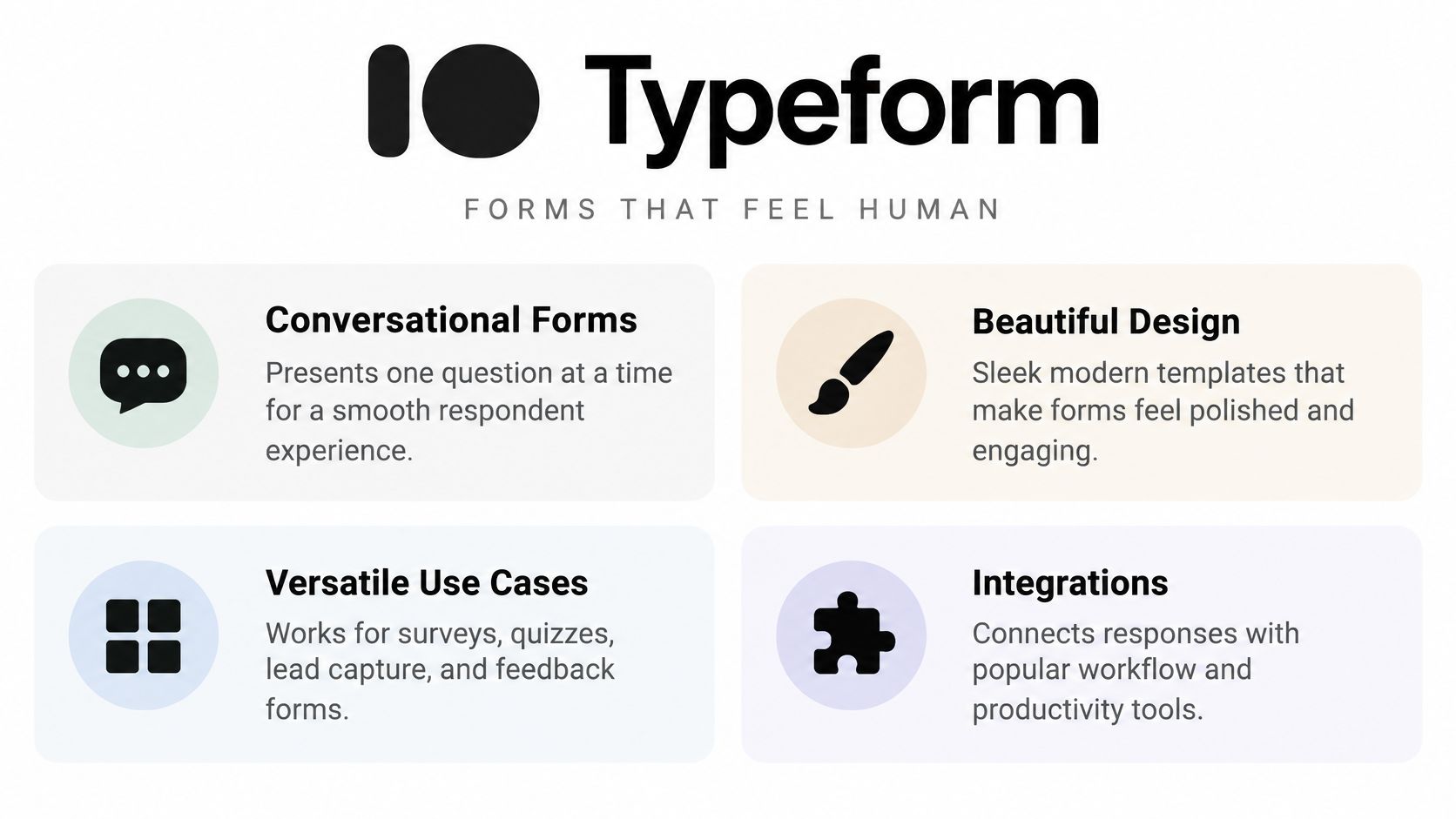
It's a pretty neat tool for creating surveys, quizzes, or just simple contact forms that look good and are enjoyable to fill out. You can even use it to gather feedback or sign people up for something.
Here's why you might want to give it a look:
- Better User Experience: Forms feel more personal and interactive, which means people are more likely to finish them. Think of it like chatting with someone instead of filling out a spreadsheet.
- Looks Good: The design is clean and modern. It doesn't look like a typical clunky form, so it fits better with your website's style.
- Easy to Use: You don't need to be a tech wizard to build a form. It's pretty straightforward to set up.
- Integrations: You can connect it with other tools you probably already use, like Google Sheets or Slack, to automatically send the information you collect where you need it.
While the free version is a good starting point, it does have limits on how many questions you can ask and how many responses you can get each month. If you need more power, like advanced logic jumps (where the form changes based on answers) or more integrations, you'll want to check out their paid plans.
Typeform really shines when you want to collect data without making the person filling out the form feel like they're doing homework. It's a smart way to get the info you need while keeping your audience engaged.
It's a solid choice if you're looking to upgrade from basic online forms and want something that's both functional and visually appealing. You can check out how it compares to other form builders if you're curious.
13. Crisp
When you're trying to connect with people online, having a live chat on your website is a pretty big deal. Most folks expect to be able to reach out easily, and it just makes sense to be there when they have a question. Crisp is a tool that makes this super simple.
The best part about Crisp is how much you can do even with the free version. You can see what visitors are doing on your site before they even type a message. This gives you a heads-up on what they might be looking for, so you can be more helpful right from the start. It's a smart way to get a feel for who's visiting without having to ask a ton of questions.
Here’s what you can expect:
- See visitor activity: Understand what pages people are looking at and what they might be interested in.
- Basic chat features: Talk to visitors in real-time to answer questions or guide them.
- Lead qualification: Use the chat to figure out if a visitor is a good potential customer.
If you decide to go with a paid plan, you can add more advanced things like chatbots, which can handle common questions automatically, and connect Crisp to other tools you use, like Slack. You also get more detailed analytics to see how your chat is performing.
Using live chat isn't just about customer service; it's a direct line to understanding your audience and capturing leads. Crisp makes this accessible for almost any business.
It's a straightforward way to improve your website's interaction and make sure you're not missing opportunities to connect with potential customers. You can explore more about how tools like this fit into your overall marketing strategy by checking out this list of top martech platforms.
14. Zoho Mail
You know, having a professional email address makes a big difference. It's one of those small things that can really build trust with potential customers. If you're still using a generic free email for your business, it might be time for an upgrade.
Zoho Mail is a solid choice for getting your business a custom domain email address without breaking the bank. It's clean, secure, and pretty straightforward to set up.
What's cool is that even their free plan lets you have up to five users with your own domain name, and it's completely ad-free. That's a pretty sweet deal when you're just starting out or have a small team.
Here’s a quick look at what you get:
- Custom Domain Email: Use your own domain (like
yourname@yourbusiness.com). - Ad-Free Experience: No annoying ads popping up.
- Multiple Users: Free for up to 5 users on your domain.
- Basic Collaboration Tools: Features to help your team stay organized.
If you need more advanced features, like being able to send emails through other platforms (think Gmail or Outlook) using your custom domain address, you can add that on for a small fee, usually around $1 per user per month. It's a really practical way to make your business look more legitimate and organized.
Using a custom domain email address can significantly boost how people perceive your business. It shows you're serious and invested, which can lead to more trust and better engagement from your audience. It's a simple step that has a surprisingly big impact on your brand's image.
15. SendPulse
When you're looking to get more out of your email marketing, SendPulse is a tool you should definitely check out. It's a really solid platform that makes it easy to manage your subscribers and send out effective campaigns.
What's great about SendPulse is how it helps you keep track of who's engaging with your emails. They have this subscriber rating feature that lets you see who your most interested contacts are. This means you can focus your efforts on the people most likely to convert.
Here's a quick look at what you can do with it:
- Email Marketing: Build and send out email campaigns. You can create nice-looking emails without needing to be a design whiz.
- Subscriber Management: Organize your contacts, segment them, and use those ratings to send targeted messages.
- Automation: Set up automatic email sequences for things like welcoming new subscribers or following up after a purchase.
- Free Plan: If you're just starting out or have a small list, their free plan supports up to 500 subscribers, which is pretty generous.
You can even connect SendPulse to other services you use, like Gmail, to send emails from different platforms. This flexibility is a big plus when you're juggling multiple tools.
It's a straightforward platform that gets the job done for email marketing, and the free tier makes it super accessible for anyone getting started.
Discover how our community helps UAE founders connect and grow. We offer monthly meetups, weekly founder matches, and access to investors. Join us to save time and avoid common startup mistakes. Visit our website to learn more and request an invitation!
Wrapping It Up
The central distinction is simple: a platform performs several connected jobs and becomes the operational center of your marketing system; a solution addresses one defined problem. HubSpot, Optimizely, and Ahrefs are platforms. Buffer, Crisp, Typeform, and Zoho Mail are targeted solutions. Both approaches work, but they require different buying strategies. A platform demands more training and process change, while a solution can fill one gap in an existing workflow.
My concrete recommendation for a UAE business assembling its first stack is to begin with HubSpot's free CRM and GA4. Together they provide customer records and measurement at no software cost; add Zoho Mail immediately for a credible business address. Delay paid publishing, retargeting, or automation until GA4 reveals the stage where prospects are dropping out. The measured bottleneck should determine the next purchase, not a feature comparison chart.
Use the “Marketing Technology Solutions by Use Case” section to match the gap in your operation, then choose one platform category to address first. For most early-stage companies, customer data and analytics provide the strongest foundation for every later purchase. Once you have identified your primary use case, refer back to the Decision Aid under the “How I Picked These Marketing Technology Solutions” section to finalize your selection.
Frequently Asked Questions
What are marketing technology solutions?
Marketing technology solutions are software tools used to run, measure, and improve marketing. A CRM such as HubSpot or Nutshell stores customer data, GA4 measures website journeys, and a service such as SendPulse automates email campaigns. A “solution” usually handles one defined problem, while a platform combines several functions. When evaluating marketing tech products, UAE companies generally get better results by establishing one core platform and adding focused tools for clear gaps.
What are some examples of martech platforms?
HubSpot CRM manages contacts, sales pipelines, and marketing automation; GA4 tracks cross-platform journeys and events; Buffer and Hootsuite manage social publishing; Criteo retargets advertising audiences; and Crisp handles live customer conversations. A martech platform is distinguished by combining multiple marketing functions within a connected system.
How many martech tools are out there?
The number is in the thousands and continues to grow. The first widely cited Marketing Technology Landscape identified approximately 150 solutions in 2011; the 2022 edition listed 9,932, and the 2023 landscape reached 11,038. This rapid expansion is why marketers should select by business use case rather than trying to compare every available product.
What do you mean by a 'martech stack'?
A martech stack is the set of tools your company uses together. A practical small-team stack might combine HubSpot CRM for customer records, GA4 for measurement, Buffer for publishing, and Zoho Mail for business email. Each tool should have a distinct purpose, and the applications should exchange or transfer data without repeated manual work.
How do I build my own martech stack?
Start with a business outcome rather than a tool. For lead generation, establish CRM and analytics first; for retention, add email automation and live chat. Introduce one platform, use it long enough to generate meaningful data, and then select the next tool that addresses the largest measured gap. Buying several tools that perform the same function usually creates more reporting work than improvement.
How can AI-powered martech tools help me?
AI helps with three practical jobs: drafting content, scoring likely behavior, and analyzing customer data. Hootsuite can draft captions from prior posts, GA4 can estimate purchase probability, and RevenueCloudFX can connect marketing activity with revenue. It can save substantial time, but attribution still requires a person who understands the customer journey and can verify the data. The broader context is that marketing automation has become a mainstream capability: industry estimates place the global market at approximately $6.65 billion in 2024, with projections reaching $15.58 billion by 2030. (Marketing automation market data)

Building in MENA? You don't have to do it alone.
Join 300+ founders in the Founder Connects Residency. Monthly squad calls, warm intros, $3M+ in perks, and much more. All for less than your monthly coffee budget.
Popular posts





Founder Connects is a premium tech founder community in Dubai and the world. Meetups, Residency Squads of 8–10, and a WhatsApp group of 600+ vetted founders.